


How We Helped iPromote Bring Enterprise Advertising Capabilities to Small Businesses
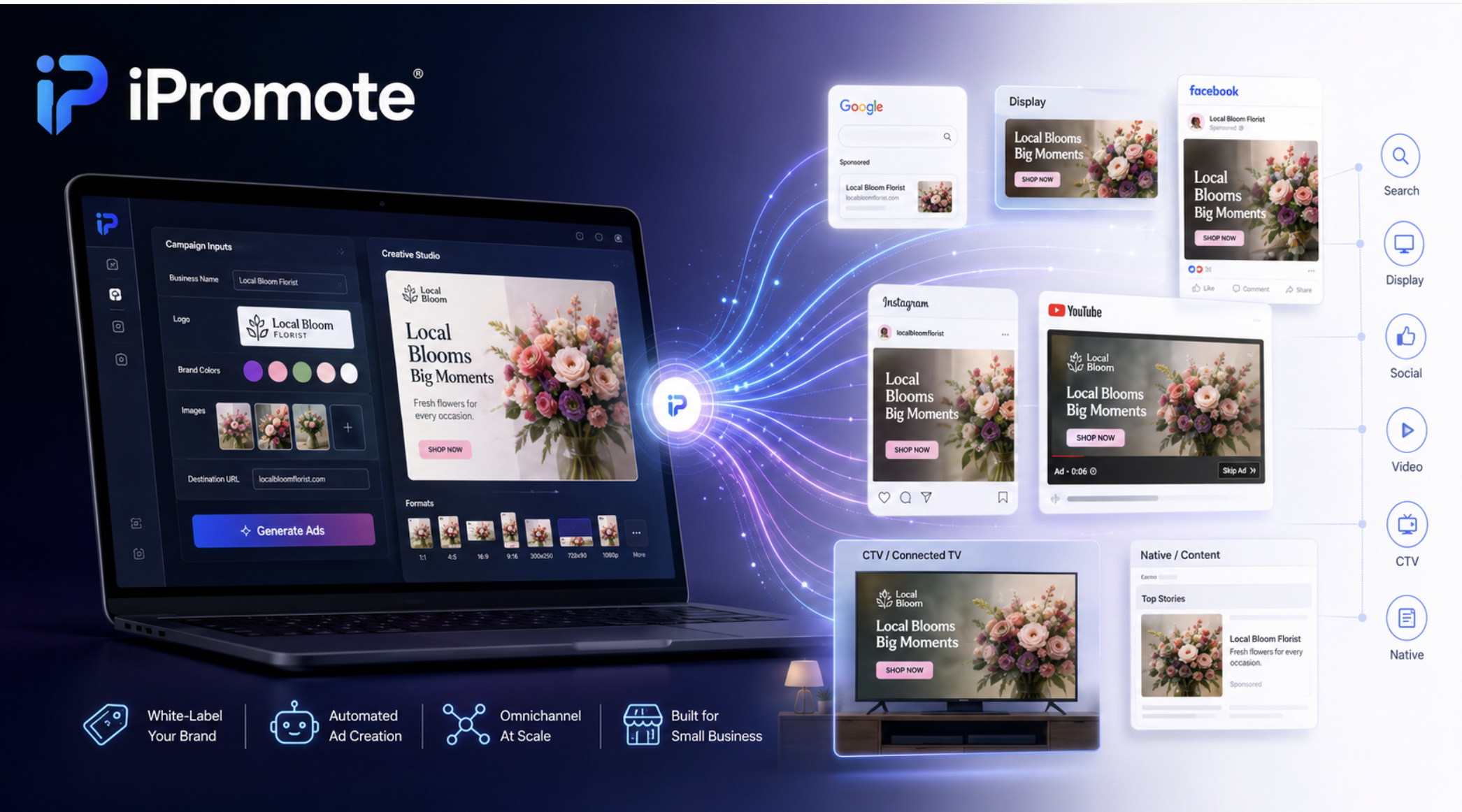
At a Glance
- 2 applications — Ad Template Designer and AdBuilder — designed and developed end-to-end
- 8+ ad channels — Google, Facebook, Instagram, YouTube, CTV, AppNexus/Xandr, Yelp, Microsoft
- White-label — Multi-tenant architecture serving resellers across US and Europe
- Stack — React 18, TypeScript, Redux Toolkit, GSAP, RTK Query, Waymark SDK, Akamai CDN
- Services — Discovery phase, Software development, Solution Implementation, Testing Services
The Company
Where Local Business Gets the Same Tools as National Brands
Key Facts
- Founded: 2004 · San Luis Obispo, California, USA
- Model: White-label, partner-first distribution through agencies and media companies
- Channels: Google, Facebook, Instagram, YouTube, CTV, AppNexus/Xandr, Yelp, Microsoft
- Investors: Cohere Capital (strategic growth investment, 2021)
iPromote was founded in 2004 in San Luis Obispo, California. The company builds programmatic advertising technology designed to be accessible to small and medium-sized businesses.
Most programmatic advertising platforms require minimum monthly spend that puts them out of reach for local businesses. iPromote’s platform automates campaign creation, targeting, and optimization across search, social, display, video, and connected TV at budgets that work for small businesses.
The platform operates through a white-label, partner-first distribution model. Digital agencies, media companies, and SaaS platforms license it under their own brand — their clients never see iPromote, they see the agency’s product. In 2021, Cohere Capital, a Boston-based private equity firm focused on tech-enabled middle market companies, made a strategic growth investment in iPromote to accelerate its expansion through additional channel and agency partners.
The Challenge
The Core Engineering Problem
The core engineering challenge was not building a design tool. It was building a system where one set of creative inputs — entered once by a non-technical user — produces finished, correctly formatted, animated ad creative for eight different advertising channels, each with its own format specifications, API requirements, and rendering behavior.
Display banners require animated HTML/CSS/JS bundles in five IAB standard sizes. Search ads require structured headline and description pools for Google’s Responsive Search Ad format. Social ads require image and video creative formatted for Facebook and Instagram feeds. Video requires integration with the Waymark SDK for in-app video editing. Native placements require component-based creative that adapts to the host site’s layout. All of this had to be generated from a single campaign setup, served reliably through Akamai CDN, and previewed live in the editor before launch.
The platform also needed to support a white-label, multi-tenant architecture — each reseller with its own brand, its own channel configuration, and its own set of exposed ad formats.
Inside the Room
The Architectural Decision That Shaped Both Applications
The key architectural insight was the separation between template design and campaign execution. In the Ad Template Designer, a designer builds a reusable animated template and marks which elements are data-driven using a dynamic properties system (“bindTo”). Those elements become placeholders. In AdBuilder, when an advertiser fills in their campaign inputs — business name, description, logo, colors, images — those placeholders are populated automatically and the template renders into finished creative across every channel and size. One template can serve thousands of different advertisers without modification.
In AdBuilder, when an advertiser fills in their campaign inputs, those placeholders are populated with real content and the template renders into finished creative for every channel automatically. One template serves many different advertisers without modification.
This separation — between reusable template logic and campaign-specific content — is what makes the platform scalable. It also means the animation behavior defined in the Designer is reproduced identically in the delivered ad, because the GSAP timeline configuration is translated directly into the export.
What We Built
Ad Template Designer and AdBuilder
Ad Template Designer
A visual editor for building animated HTML display ads. Designers compose ads from an element library (text, images, logos, shapes, button sets, rating stars, SVGs, blur overlays, clickable destination areas), animate them on a custom GSAP-based timeline, and export production-ready HTML/JS/CSS bundles. The timeline gives each element its own track — dragging sets start time, resizing sets duration, with per-element easing for opacity, position, rotation, and size. The timeline configuration is translated directly into GSAP animation code in the export, so what the designer sees is exactly what gets served.
- Drag-and-drop canvas with layers panel, z-index control, and element visibility management
- Element library: text, images, logos, shapes, button sets, rating stars, SVGs, blur overlays, clickable destination areas
- GSAP-based animation timeline: per-element tracks, start time, duration, easing, opacity, position, rotation, size
- Dynamic property system: elements marked as data-driven become placeholders filled by AdBuilder at campaign time
- Export pipeline: production HTML, animation JS, scoped CSS, dynamicData.json, minified with Terser, bundled with JSZip
- Internationalization with react-intl, HTML sanitization with DOMPurify
AdBuilder
The application that turns templates into finished campaign creative across all channels. A single set of inputs — description, colors, logo, images, destination — is fanned out automatically across every channel and every ad size. All backend operations run through RTK Query against the versioned UI API (v5 endpoints), covering creatives, templates, search terms, images, video tokens, and cost estimation. For video, an in-app editor built on the Waymark SDK allows advertisers to build or edit video creative directly within AdBuilder, with audio track and style handling included.
- Single input set (copy, colors, logo, images, destination) automatically fanned out across all channels and formats
- Live animated preview per channel with Replay and View All Ads
- Search: Responsive Search Ad management with headline/description pools, callouts, sitelinks, Google and Yelp preview
- Display (Web + Mobile): animated HTML banners in all IAB standard sizes via Designer templates
- Social: Facebook and Instagram creative through Facebook Graph API integration
- Video: Waymark SDK integration for in-app video editing, FineUploader for direct upload, CTV support
- Native: component-based creative for AppNexus/Xandr programmatic placements
- RTK Query against versioned UI API (v5) for all backend operations
- Multi-tenant white-label routing: each reseller exposes its own channel set and brand
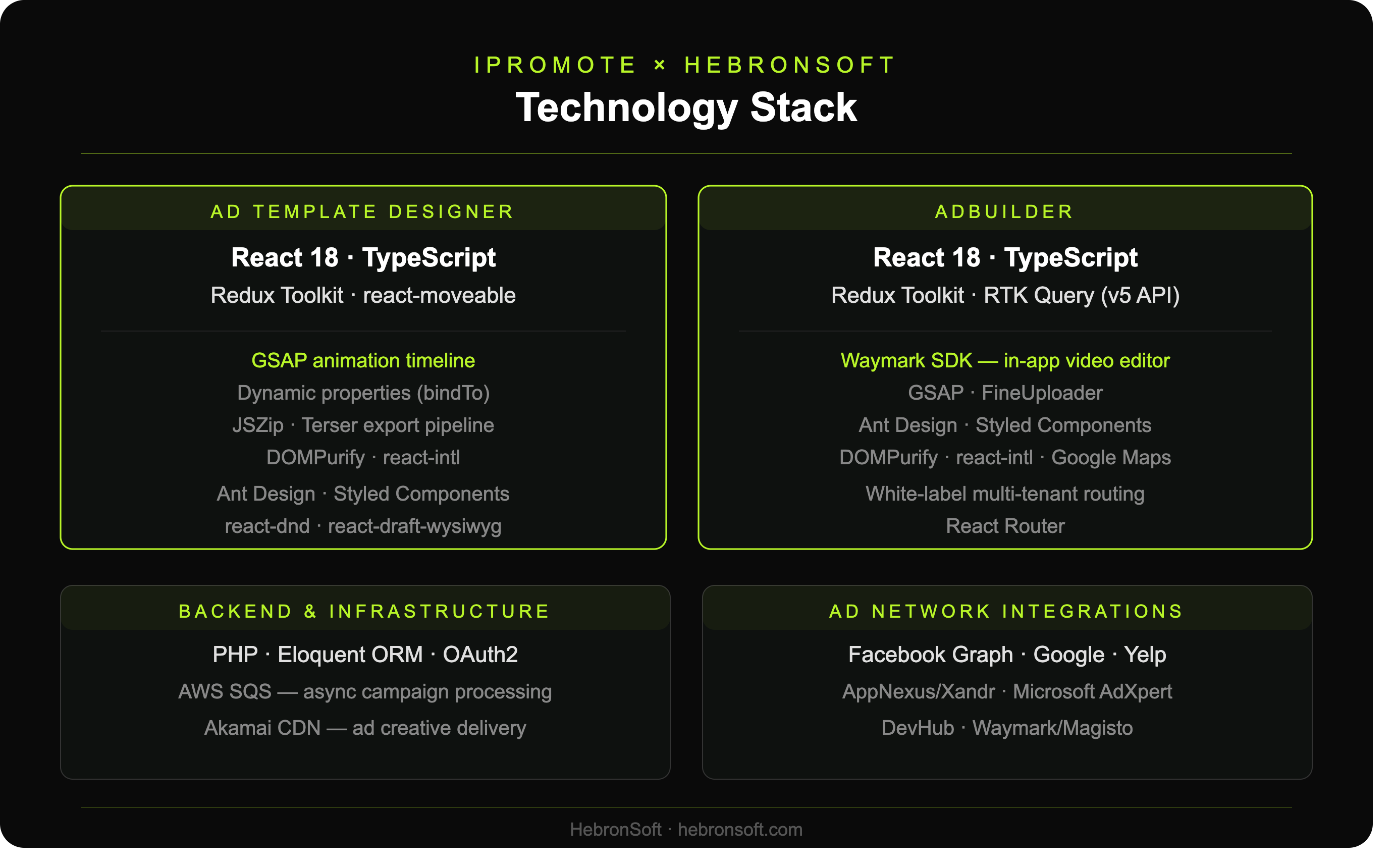
Business Impact
Delivery and Reported Results
All required functionality and integrations were delivered within the agreed timeline and scope, allowing iPromote to launch the product and begin the next related project without delay.
- +20% — Average increase in campaign efficiency and ROI rate, as reported by client
- +25% — Average improvement in user experience, as reported by client
- -15% — Saving in project time and resources through on-time delivery, as reported by client
What We Learned
How the template system shapes what the platform can do
The decision to separate reusable template logic from campaign-specific content shapes what the platform can do at scale. A template system where placeholders are defined at design time and filled at runtime lets one creative serve many advertisers without modification. Defining that separation early meant the platform could expand to new resellers and channels without rebuilding how creative is generated.
You might be interested in
Inside Precision Opinion: Improving the Infrastructure Behind America’s Largest Surveys
HebronSoft helped stabilize and improve an undocumented AWS-based platform behind one of America’s largest survey research operations, restoring critical integrations and supporting active production workflows without disruption.
How Belmont Park Unified Seven Business Systems Into One Source of Truth
HebronSoft unified seven disconnected business systems into a single real-time data platform, giving Belmont Park one trusted view of its operations.
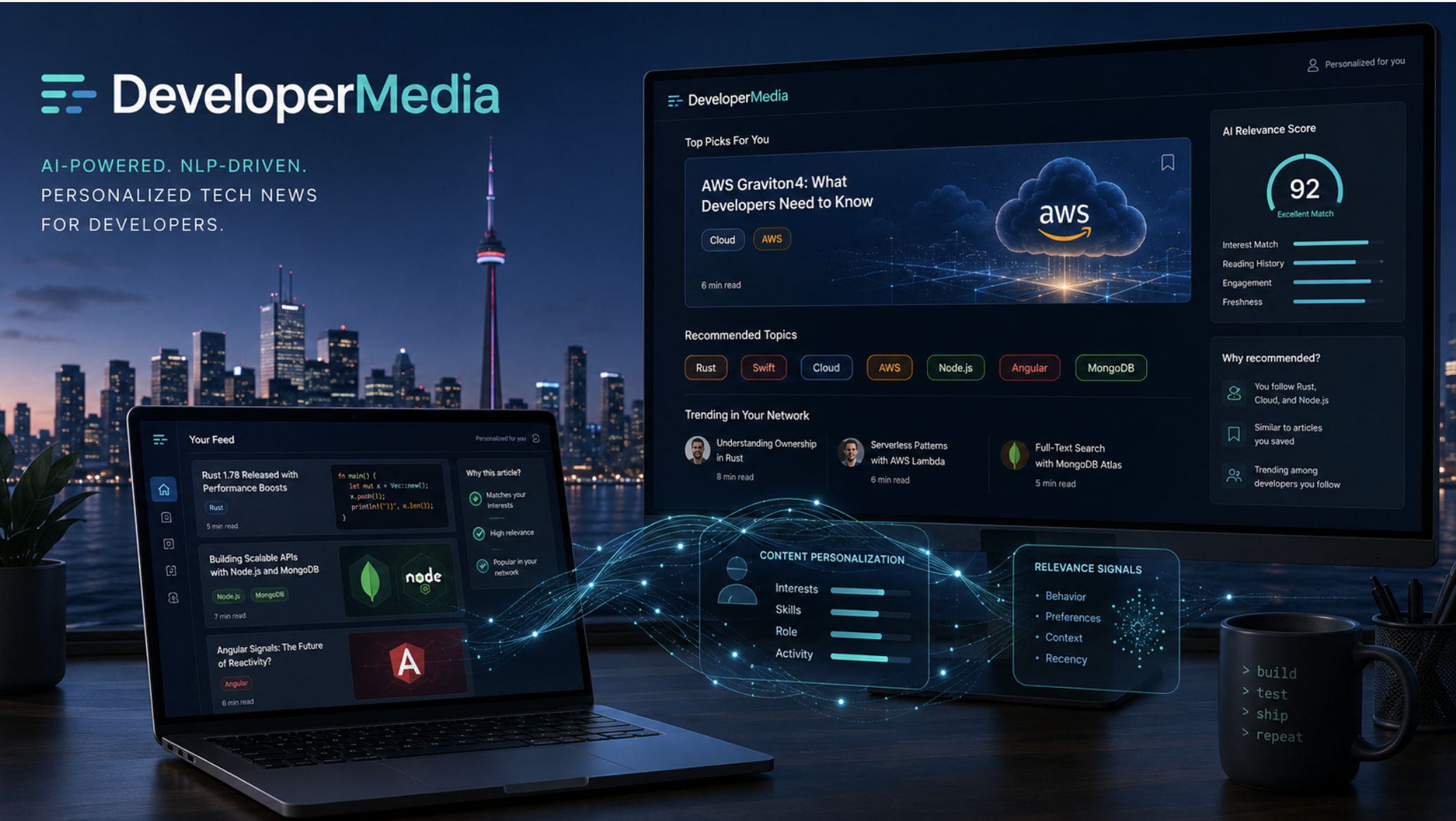
How DeveloperMedia Built a News Platform That Knows What Developers Actually Want to Read
HebronSoft helped DeveloperMedia create a personalized content intelligence system that understands developer interests, reading behavior, technical context, and domain-specific signals across a fragmented media ecosystem.
 AI Assistant